Oh, bad timing. Just a few months ago I was on the fence about Protonmail vs Fastmail (vs all others) and ended jumping to Fastmail: the privacy pro didn't seem to outweigh the cons. Now with open sourcing stuff the pros do get somewhat better... But reevaluating and switching would be troublesome.... Maybe in a few years I'll revisit it :)
Yeah protonmail charging for the marginally free stuff, like domains and aliases is very disappointing. I make a new email for every account, in the form of catchall_alias@username.domain.com do I have to pay proton mail $24/month for that privilege?
Also not providing 20GB space as a default paid option in this day in age of $5/month/TB is also very disappointing.
I've been with ProtonMail a couple of years now, and recently made the step to buy my own domain to use for personal email. What I'm hoping is that whenever I want to switch provider in the future, it won't be any more trouble than to switch some DNS settings :)
The easiness to migrating away was one of the cons of Proton Mail to me, but I don't remember the exact reasons for it besides not using standard protocols. Having standard protocols really makes everything easier. With the open sourcing of the tools, maybe it will get better?
Interesting. I run rainloop on my (local) server so I can have mail in my browser (while on my lan). I'll have to see if I can get bridge for linux working with that. Server is headless, so hopefully bridge is too...
Most of us here are not medical or epidemiological experts at all, and most of the comments here are just people asking for an layman's explanation of this paper. Trying to ascribe meaning to highly technical results seems futile (at best) or irresponsible (at worst).
"On-Topic: Anything that good hackers would find interesting. That includes more than hacking and startups. If you had to reduce it to a sentence, the answer might be: anything that gratifies one's intellectual curiosity."
also:
"Please don't complain that a submission is inappropriate. If a story is spam or off-topic, flag it. Don't feed egregious comments by replying; flag them instead. If you flag, please don't also comment that you did."
This particular study though doesn't have any impact on how we personally react to the virus though, so it falls into the realm of intellectually stimulating.
It’s a typical geek bait: a lot of smart words, some obscure info that needs to be superficially researched first to be understandable. At the age of the attention economy this specific specimen of information is highly engaging for this specific slice of population.
HN is disproportionately composed of multidisciplinary generalists with backgrounds in a range of fields, including virology and molecular biology.
There is no harm in having smart people reading breakthrough literature in other fields. Even if we don't understand every detail, often with enough experience in other fields you can still get the gist and there's always opportunity for cross-pollination.
>Trying to ascribe meaning to highly technical results seems futile (at best) or irresponsible (at worst).
I'd like to point out that this is primarily how grad school on the cutting edge works. You pick a subject and start reading papers until piece by piece things start to make sense. Frequently people do so by jumping into a graduate topic that can be quite different from their undergrad, and this is still a valid way to learn for a subset of the population.
Frankly given the gravity of the pandemic I don't think any published article is inappropriate for HN right now.
One can spot cargo cult command-line use when two pairs of the commands overlap functionally, and another triplet is the same program by different names.
Also note that RIS is a bad idea, discouraged since 1983 I recently discovered, although DEC did not think to tell people outside DEC this for half a decade. Use DECSTR.
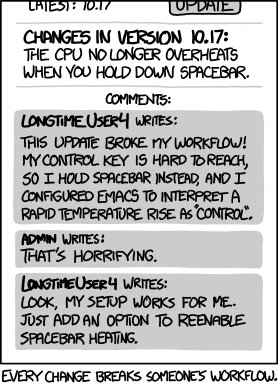
It never even occurred to me to do that but trying it now, I don't think it's feasible for my hands. Either my palm mashes CTRL, ALT, and CMD (and sometimes FN and Shift) or I have a super awkward angle to get to the C key. It seems much easier to just drop my pinky down for half a second.
EDIT: After a suggestion from another user, I just remapped my Caps Lock to CTRL. That seems a lot easier to deal with. I'll try that for a bit and see how it goes.
I use my left pinky to press Ctrl, and I use the right hand for L (index finger), so it makes no difference whether I press L or Enter using my right hand. I would probably use the right pinky for the Enter key. Works either way to me, but I am used to pressing Ctrl-L (left pinky for Ctrl, right index finger for L).
Left pinky for ctrl (capslock) and right ring finger for L. Works incredibly well for my hands (a quality keyboard helps too). The capslock mapping is obviously meant for vim but works great for many shortcuts like this (ideally there would be a second ctrl/esc and other modifiers to operate with right pinky comfortably, starting my first custom build soon...).
Some smaller keyboards (including laptops) make the control key small or add an "Fn" key to the bottom-left corner (Apple does this). I tend to hit Ctrl with my left hand, so mapping caps lock to Ctrl makes it more reliable to hit.
> Ctrl+L works when a program is running. Clear does not.
I can't see how because ctrl+l is a $SHELL / readline shortcut rather than one defined in the terminal emulator. Once you run a program you're forking STDIN control to another process so you'd have to wait for the $SHELL / readline prompt again just like you would if you typed a command / function / alias into the command prompt.
The terminal can optionally catch some characters and convert them to signals. By default, ^C sends SIGINT, ^\ sends SIGQUIT, and ^Z sends SIGTSTP. Programs can disable that for their own purposes (stty -isig) and you can rebind them to other characters if you want (stty intr, stty quit, stty susp) but I don't know why anyone would these days.
In Linux and UNIX you enable or disable use of ctrl+c (effectively setting the tty into a raw mode) via syscalls against the tty file descriptor - it is not handled by the terminal emulator at all (in fact if you read the man page for `stty` you'd see it's changing the your terminals fd and not the terminal emulator).
Sure, theoretically terminal emulators could capture and even rebind those keys via the APIs of whatever graphical toolkit they're built in....but if you wanted to rebind SIGINT to another key in the terminal emulator, that terminal emulator would still have to transmit ^c to the tty.
As for rebinding those keys in the kernel, Linux simply doesn't support doing that and nor does it support binding other keys to different signals. In fact I've tried to do this on a tool I was working on to emulate BSD's SIGINFO in Linux (turned out not to be possible) as as well part of the job control (SIGSTSP et al) support in my $SHELL (https://github.com/lmorg/murex).
This is also why you can throw signals over an SSH (or other remote shell) session when the terminal emulator itself would have no knowledge of the commands running on the remote host.
I enjoyed your post about the LDA (the Dirichlet one; yet to read the Discriminant one). It strikes the right balance between explaining the conceptual aspects of what's going on, and including concrete examples of the data set used and the graphs of the results. Too many articles in this area are either too much into theory crafting with not much practical stuff to prove it, or sometimes go the other way to "here's a code dump, gather whatever you can with it, good luck!".
(One suggestion: sometimes the context of the post isn't actually as obvious as it seems to us. For eg., the post about the Stan Vim plugin makes no mention of what Stan is, and it's a slightly annoying name to DDG properly. A link to the Stan language's site would've saved me - the reader - a minute and some annoyance.)
Like any other search engine, Ecosia earns money from clicks on the advertisements that appear above and beside the search results.
The advertisements on Ecosia are clearly labeled as Ads and are text links to websites that pay for each click by users. The ads are delivered to you by our partner Bing, who pays Ecosia a share of the revenue generated via these ads.
Ecosia earns a few cents for every click on an ad from Bing – or a portion of the purchase price made through an affiliate link. Ecosia then gives the profits from this ad revenue to planting projects.
We also make a small income on commission from our online store. All profits we receive go towards our projects – which means we can plant 20 trees every time we sell a t-shirt.
> It costs our tree planting partners about 0.22 EUR to plant a tree. 22 cents divided by 0.5 cents makes about 45 searches until we can plant one new tree.
Bandit algorithms can also be approached from a Bayesian point of view! This lets you quantify the uncertainty in your estimates (e.g. how uncertain you are than ad A has a higher CTR than ad B), which a lot of other bandit methods don't offer.


[1] https://protonmail.com/blog/proton-bridge-linux-launch/
[2] https://protonmail.com/blog/bridge-open-source/