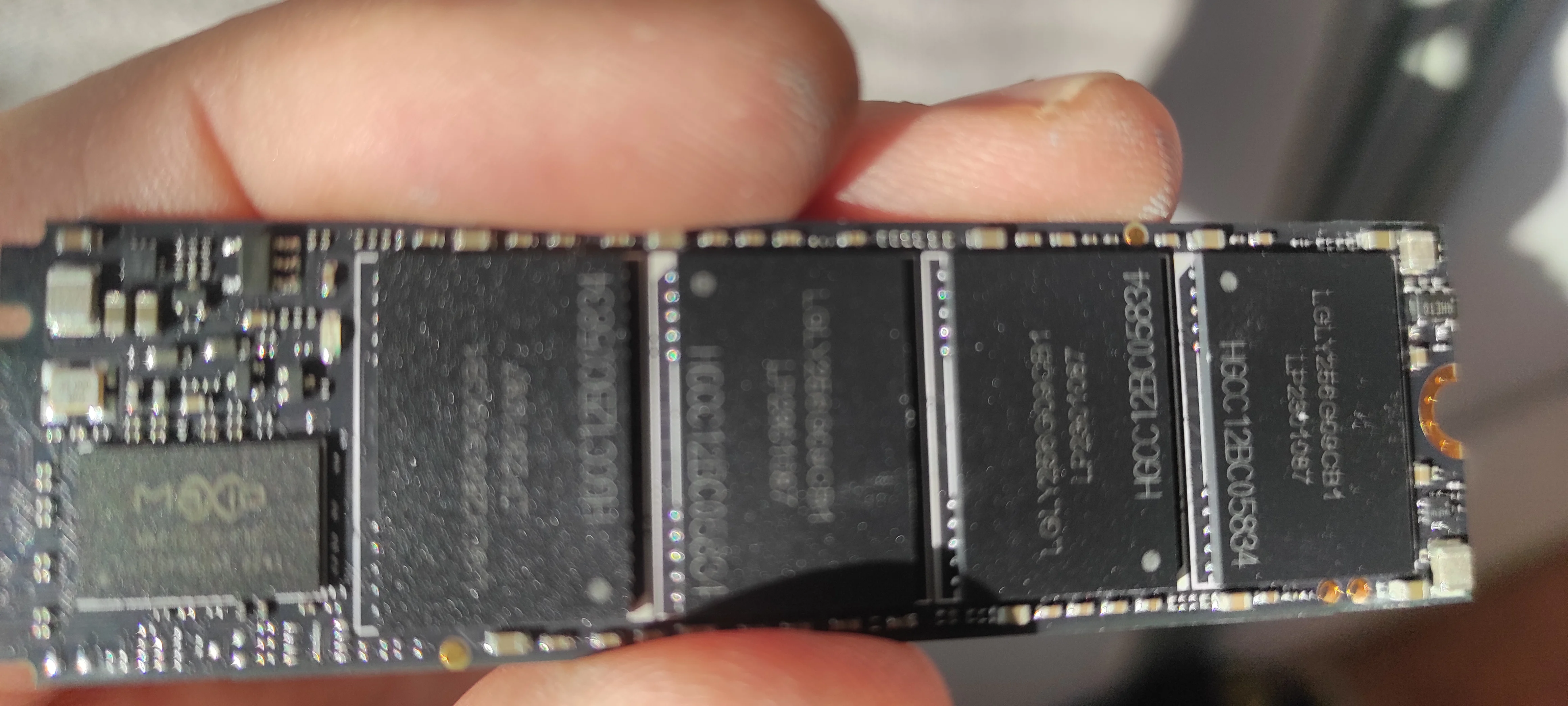
The real 980 Pros have recently become notorious for premature degradation issues (resolved with a firmware upgrade that many users may not know to apply). How conveniently distracting that a fake version of the product is now hitting the news cycle. Instead of associating bad SSDs with Samsung we’ll henceforth associate them with cheap Chinese counterfeits. What a stroke of luck for an anticompetitive company like Samsung.
You are confusing the 980 pro and the 990 pro. The 990 Pro had a firmware bug causing largely accelerated wear which was fixed by an update in January. The 980 Pro had a bug in firmware causing the drive to just fail (enter read only mode) after a certain amount of time, this had been fixed for well over a year in firmware but many people didn't update their firmware and so were surprised when the requisite amount of time passed.
> The 980 Pro had a bug in firmware causing the drive to just fail (enter read only mode) after a certain amount of time, this had been fixed for well over a year in firmware but many people didn't update their firmware
I literally just finished putting all the parts of my new build in my basket but haven't ordered it yet. I was going for a 980 Pro (for it seems reasonably priced)... If I buy brand new from Samsung, would you happen to know if I'll get a SSD with the latest firmware or would I need to apply the firmware update by myself?
FWIW I ran a 950 Pro when it came out (2015?), then a 970 Evo (which my wife is now using). I've been very happy with these NVMe M.2 SSDs.
Most likely yes. I bought a new 980 Pro 2TB a few weeks ago and it came with the latest firmware. Manufacture date is Jan 2023. The firmware is already more than a year old so unless you get very old stock it should come with it.
I just upgraded this week from a 950 pro to a 980 pro, it came with the current firmware.
Their data magician software (windows) will update it if needed, they also have an ISO. I had no luck getting the ISO to detect any keyboard till noticing I'm already updated.
You can simply extract the firmware updater binary from the iso and run it directly from your own linux pc. More complicated if you only have a single drive though.
just fyi Userbenchmark is total useless and pretty much banned all around on PC enthusiast subs on reddit. They altered scores on a whim or what is "better" or not compared to something in their rankings.
They have been bsod & crashing in win11. Hopefully like Samsung gets fixed fast, but it's been an issue for 6 mo now.
Really quite impressed by the sn850x but also iirc it also bogs down under prolonged writes[1]. But great general speed, good price. Hoping WD can keep iterating well.
I just use it to update the drive firmware and as a convenient way to check the SMART data for the drive. It doesn't use hardly any resources in the background so I don't worry about it that much.
Someone who buys an evo pro knows to install magician, at least to update the firmware for the first use, or so i hope - it would be like buying a high-end nvidia and using the drivers from windows update.
There's a difference between a GPU that gets new drivers every week (and essential to gaming/working) and an SSD, which I personally have never even thought about checking the firmware for.
Yes. In general: if there's no battery/supercap, it doesn't have a clock that keeps counting when disconnected. Consistent with that, my understanding is that the bug hits when the power-on counter hits a certain threshold.
I think that the 980 pro issue came to light a month ago when the earliest made SSDs got old enough to trigger the bug. So you should be good unless you got one of the first ever made.
Data point for readers: I was affected by the 980 Pro firmware issue. I had no idea there was an update available--Samsung did not post it to Windows Update--until my drive was read-only with only a few TBs written. Warranty covers 5 years/N TBWs [1], and the replacement process--albeit slow--does work. Just be aware you can't erase a read-only SSD...
> However, the new firmware update from Samsung will prevent the failures from occurring in the first place if your drive is still functioning. So, if you have a 980 Pro running the 3B2QGXA7 firmware, you'll want to update to the newest firmware (5B2QGXA7) using the Samsung SSD Magician software (opens in new tab) ASAP. It should be noted that 980 Pro SSDs running the 4B2QGXA7 or 5B2QGXA7 firmware are not affected by this issue.
> The real 980 Pros have recently become notorious for premature degradation issues (resolved with a firmware upgrade that many users may not know to apply)
How does one find out if a particular 980 Pro needs firmware update or not?
> How does one find out if a particular 980 Pro needs firmware update or not?
I'm wondering the same and I'm also wondering if upgrading the firmware can be done from Linux or not. I could search online but certainly people here do know?
Why doesn't hardware cryptographically attests manufacturer authenticity?
Analog Devices had an article about it from 2014 I just posted
https://news.ycombinator.com/item?id=35225102
PCI vendor IDs are quite a bit older than 2014. Likewise for the USB ecosystem. It would not be easy to retrofit cryptographic signing into these systems without breaking a lot of vital functionality or making the security a toothless opt-in system. Verifying the authenticity of every component of the system is only viable when it's a relatively closed system: embedded devices, smartphones, etc. Narrowly-focused authentication systems like HDCP have had some success, but doing that for every peripheral and replaceable component in a PC would be a monumental project.
Self correction: it's not unavoidable. I'm thinking long term we need a way to trust hardware, and I see cryptography as a way to do it. Short term, I really want a charger or sd card labelled Samsung not to be made by a reputation-less, liability less, no skin in the game, anonymous copy cat. I don't want to become an art fraud detective, comparing fonts and kernel spacing, or chipsets. Chips are also sometimes fraudulently labelled.
You wouldn't have to have an automatic, full-verification system. But I'd expect that for components likely to be easy targets for counterfeiting, the manufacturer's software should be able to verify it with a relatively high degree of confidence. But that doesn't seem to be the case here, according to TFA:
> The forgery was so good that the mysterious drive even managed to fool the Samsung Magician software.
You seem to think the industry needs a perfectly effective counter to those risks, no matter the cost. You don't seem at all willing to consider that your proposed solution may be impractical or more of a problem than what you're seeking to solve. You're also refusing to accept the long-standing status quo as evidence that the problem is actually fairly manageable without the solution you claim is unavoidable.
So overall, it's pretty clear your original question of why the industry isn't working toward that kind of solution was not an honest question you wanted answered, but merely a rhetorical opening for you to preach your cause.
I've bought a 1TB 980 Pro from Aliexpress that's scheduled to be delivered this week. Paid about $110, the same price from reputable stores such as BestBuy (but choose to buy it from Ali since it was way cheaper than local stores - I'm not located in North America).
Thanks for posting this. Now I will double check the components below the sticker once my unit arrives - and will file a complaint if the drive turns out to be fake.
Another option is to leave it be and run a speed test to see if it performs as expected. This may result in less runaround if you have a real drive but need to RMA.
Turns out the drive is original and perform as expected. The components match original specifications and the board is clearly different from the fake news and identical to original ones. The performance speed hits the expected 6,500~7,000 MB/s for read. Samsung Magic also labels the drive as "Genuine".
How would I notice this on a Linux machine? I have a pair of 980 pro 1 TB in a software raid 0 and a pair of 2 TB in a software raid 0. I've disabled the cache on all 4 of them in order to minimize corruption in case of an unclean shutdown and iirc they run at about 500 MB/s, which is way below the 7000 MB/s they're supposed to run at. I bought them in December 2021 from Amazon, where Amazon was the seller.
Have you tried to measure their performance as specified, rather than deliberately crippled? It doesn't sound like you have any reason to suspect you have counterfeit drives when you already have a simpler explanation.
I don't really see how it would? 'Made in China' is often associated with low quality anyways, so why would this make a dent? I hope you know that Samsung is a South Korean company.