I'm no die hard apple fan, but you would think I was if you heard me talking about my 16" m1 pro. It's an absolute beast, battery for days, and I've never heard the fan spin up once. It would take a lot for me to even give another machine a chance.
There's something about being very well constructed with high attention to detail / finishes. Growing up my parents had a new Subaru and a much older Mercedes station wagon. As a teen driving both, you could feel the difference in finishes, and overall solidness of the Mercedes, it felt like driving an adequately powered slab of marble where as the much newer Subaru felt, well plastic and fragile in comparison.
This was my experience moving from Subaru to Volvo as well. That “solidness” feeling is probably the best way to describe the difference between economy and luxury cars generally.
Good construction relative to what is available. I will take a Macbook with a sharp edge over a dell laptop where the screen frame is falling apart, the hinge is non existent, and the trackpad is useless. If you go out to find faults in Macbooks, you'll find them, just not as many as the alternative.
I’ve been very happy with the 16” M1 Pro’s I’ve done work on. It’s probably the first laptop I’ve used where the load threshold at which its fans make noticeable noise feels somewhat appropriate (rather than spinning up for little to no reason), its power level feels more desktop-class than laptop-class, and I don’t have to keep my eye glued to the battery meter even when running heavy IDEs.
I’m even kinda happy about the notch, because it prompted Apple to add a strip of extra pixels for the menubar to live in, leaving the remaining 16:10 area fully open for use by apps.
The only downside is its weight, but given all of its other upsides I can live with that.
I've been rocking this same device for a while now and it's revived my apple fanboyness just a little. The hardware itself gets an A+ from me.
What I really want from Apple at this point is better UX on MacOS. Stage Manager is an interesting idea but, to me, it's not really a fix for any of my problems so I've just disabled it. I've used two 4k external monitors for years on MacOS and the same little annoying bugs plague me. Specifically, I think how MacOS handles full-screen apps is just not quite right. I don't understand why things feel clunky in just this area of the experience. We need what happened in iOS a few years ago when they got rid of the home button and were forced to make opening/closing/switching between apps much more fluid. I need MacOS to feel fluid like that. Then, it'd really be "perfect" for me.
I have the same complaint about UX. I sorely miss tiling window managers. I miss configurability of window management.
I have baked into my muscle memory the expectation that when I hit the keyboard shortcut to summon virtual desktop number 5, that desktop will show up on the monitor that currently has focus, no matter which monitor(s) it may have appeared on before. This setup is impossible in Mission Control or whatever the multiple-desktop thing MacOS is called. I can choose between:
"Displays have separate spaces" checked: left monitor has desktops 1,2,3, right monitor has desktop 4,5,6, and if I add a new one to left its number is 7. Want to put desktop #4 on the left? You can't except by dragging all the windows one by one, like a cave-man. What happens to the numbering when you add or remove another monitor? It's weird.
"Displays have separate spaces" unchecked: now I have numbered Left+RightMonitorMonstrosity desktops, but if I want to switch the left monitor between "documentation" and "email", while leaving the right monitor on code, I'm out of luck. This setup behaves a bit better about adding and removing monitors, I will admit.
My old Xmonad setup with numbered desktops (which I cloned from my ion3 setup) behaved beautifully when adding and removing monitors. This is to say nothing of having had a Mod4 key solely for my own use, which I ended up using almost exclusively to interact with the window manager.
I can't wrap my head around a film strip of horizontally situated desktops that I swipe through or page through. I can't fathom the idea of making "full screen" change an app from looking like a window to looking like a desktop, and whats more appending the new desktop to the end of the list. I know that MacOS already knows what the windows on that other desktop are going to look like before I switch, so why does it insist on showing some kind of animation when switching (even "reduce motion" changes it from a wipe motion to a useless fade), like iOS does to hide load time? I know about amethyst and rectangle and setting up a "hyper" key with karabiner-elements or qmk or whatever. No amount of it adds up to the same experience that I had with ion3 back in 2006 and I get worked up that I paid into the ecosystem and bought this otherwise-great laptop and I can't make it work the way I want it.
I have "Displays have separate spaces" checked, and I can drag a desktop from one display to the other by grabbing the desktop from that "film strip" and dragging it over to the other display. I don't have to drag all the windows individually. They move together with desktop.
The limitation, which you might be bumping into, is you can't drag the current desktop that's visible on a display, which is sometimes annoying but makes sense. Switch to a different desktop first.
I agree with you about the confusing ever-changing number labels on the desktops. I would really like to assign names to desktops, like "Work" and "Project 1". The GUI has room for it, as the full-screen app desktops already have names.
It's less difficult than I thought to to get an M1 Max chip hot enough to spin up fans. Run CitiesSkylines on a 4K display with all of the graphics maxed out for a few hours. ;)
Or do 8 parallel runs of transforming and merging a massive amount of jpgs into less massive pile of pdfs. Just about fully pegged all of the cores for hours.
What surprised me was how fast everything still was. Without the fan, I wouldn't have known the load the system was under.
This is a tangent but, I cannot for the life of me get Skylines to run without the cursor offset by approximately the height of the notch, even on an external display. Have you not had this problem?
Out of curiosity, why would you want to combine jpegs into PDFs? And why did that cause such a load? It wasn't just embedding them into PDFs, but somehow recompressing them too?
Ya, those workloads would do it. My M1 Pro 16" really made my intel mbp feel sluggish, especially if I'm running any containers. Not quite enough to replace it yet, but sometime in the next year if I can do something useful with it.
Yep, this is what I'm running. Honestly shocked how good it is. Trackpad and monitor are great (the things they have never screwed up, to their credit), keyboard is back to being great, magsafe charger is back, no dumb touchbar gimmick, all usb-c, headphone jack, and I honestly think it seems faster - even on battery - than my beefy workstation I used to have at my office (just with less ram). The performance especially just feels like magic, for a laptop.
The thing that's holding me back from getting one is the memory markups. The base configuration is too low and I can't just change the memory myself because everything is soldered.
I used to give Apple the ole' eye roll for that as well. Then I realised, as I got a MacBook myself and dove into running Machine Learning models on it, the RAM setup is pretty unique.
Essentially, the RAM is so close to the CPU and GPU that it can effectively be used as VRAM, at least for the M1 and up chipsets as far as I'm aware. That means a 32GB RAM MacBook would be able to run incredibly large (e.g. LLM) networks on-device. Nvidia GPUs with that much VRAM (although they are clearly better at GPU tasks) can cost as much as an expensive MacBook already.
Yeah, the memory is overpriced. So are eyeglass frames (rimless are especially overpriced). But as long as you can afford it, a few hundred dollars isn't that much spread over a few years. Or, think about the other option. You can get a not-MBP and have a clunky experience [1] but save some money, or spend a the extra few hundred for a MBP with enough memory to be a great experience. (Assuming you like macOS, of course.) I interact with my MBP all-day, every day, and it's totally worth a few hundred dollars to get something I love using.
[1] In addition to the non-MBP hardware being clunky, your choice of OS is cutting your steak with a spoon (Windows), or a huge drawer full of tangs, handles, prongs, and spoon-bowl and you spend your time digging around to assemble a knife, fork, and spoon that are the same style and finally give up and settle for "well, it matches if you squint" (Linux). I love the idea of Linux, but I've never actually gotten my system to where I like it, just to where I can tolerate it.
When I looked at adding my ideal RAM and storage onto the base MBP M2 Pro model, the RAM upgrade came to $1634.56 (£1250), and the storage upgrade came to $2876.83 (£2200).
That's enough to be a long term purchase, so I decided to wait for the M3 and see if 3nm makes a big difference.
>Yeah, the memory is overpriced. So are eyeglass frames (rimless are especially overpriced)
That's not a very good comparison. Glasses are important for helping the visually impaired, while Apple memory is just an add-on for a luxury computer.
>But as long as you can afford it, a few hundred dollars isn't that much spread over a few years.
It is that few hundred dollars is a 10x markup over market rate (I've checked, and Apple's markups are actually that bad).
>You can get a not-MBP and have a clunky experience [1] but save some money, or spend a the extra few hundred for a MBP with enough memory to be a great experience.
I don't think my experience with my current PC is clunky, and if I get an M1 macbook, I'll be using Asahi Linux instead of MacOS.
I don't mind overpriced as much as the paltry maximum. Every other computer I have has at least 64GN of RAM, including all my laptops, but until recently you needed a Mac Studio to get that in Apple land. Among other things you can't run large LLMs on only 32GB.
Same experience here. However, I regret getting the 512GB drive option. I'm constantly monitoring my disk space as I do work and personal stuff on the same machine. Like I build Docker images as part of work and have to regularly purge out old images. Good thing macOS intelligently makes space (I have about 250GB in the Photos library) so I also get a random free 10GB from time to time.
I was issued one by my new employer. I'd much rather have a 4th USB-C port than the less versatile HDMI. For myself I'd probably go for a 15" MacBook Air instead, even if maxed out on RAM it's not that much cheaper than a MBP.
Another factor: I live in the UK, where they have a particularly crackpot derivative of the ISO QWERTY layout that well nigh unusable for a programmer. Apple is the only laptop vendor that will allow you to choose your keyboard layout, so when I buy anything else, I order from the US, with all the customs hassles that implies.
Meh. I have battery for 10 hours, better than the 7 on my Linux machine but not stellar. Graphics are mediocre. Lack of ports means I have to carry dongles around. And putting up with macOS (with no Linux available) is a complete dealbreaker.
The 15 air is actually quite a bit heavier, it goes from 'easily hold it up with one hand with lid open' to, well, barely possible.
I'm so surprised more people don't want brighter screens.
At night my screen looks gorgeous, though I could even go a touch brighter when doing detailed design stuff.
Daytime? I'd go for literally 2-3x brighter if I could. Let alone working outside! Screen brightness is the biggest QoL improvement I'd get vs any other spec bump.
Yeah a brighter screen would be awesome. i misunderstood that the m1pro would be a huge step up in brightness from the m1air but it’s just as borderline in direct sunlight
Yet my 4 year gaming laptop that back then costed half of a m1 macbook pro when it was new renders any typical Blender scene 4 times faster than it (using the newest Blender version with Metal support).
I suspect the fan doesn't turn on because it is heavily throttled.
Gosh, the Lenovo ThinkPad X1 Nano Gen1 and Gen2 are awful, dreadful, terrible machines. I can understand having a thermal constraint tied to the thinness of chassis, but you would think it’d maybe throttle instead of shutting off in the middle of work. After blowing through 4 separate nano configurations all with the same fundamental problem and riddled with quality issues and borderline abusive support getting bounced around “specialists”; I’m much happier with a M1 Pro MacBook Pro. Not nearly as light, but it’s worked every time I open the lid and want to use it for as long as I want. And that to me is the bare minimum.
I have a desktop with a few gpus in it for “fun”, so a laptop for me often is a client to access more power if needed. I run Sunshine and get 4k60 streaming for desktop, 3d modeling, video editing, and even gaming on occasion. Now with a MacBook instead of a thermally constrained thinkpud I can even do that stuff on the m1 locally do a degree.
That's interesting, I've been running a Nano Gen1 for over a year now with no issues whatsoever (running both Linux and Windows).
What I have had happen is my work Dell machine (Windows) shutting off if it overheats. I have to make sure it's on a surface that does not heat up and lets air flow freely. Resting it on the couch will kill it within 10-20 minutes.
I use the Nano from the couch/bed for hours with no issues.
Huh I’ve been using a Thinkpad X1 Nano for nearly 2 years now primarily for personal dev work, and it’s by far my favorite laptop I have ever owned. It replaced a 2020 M1 MacBook Air, which replaced a 2016 MacBook Pro, which replaced a 2009 MacBook Pro. This laptop is so good, it will take a really good reason for me to upgrade before a decade. I pair it with a much more powerful desktop, so I wanted a lightweight laptop that’s totally capable, and I have found it absolutely delivers. I’ve been running Arch Linux on it for what it’s worth.
On the other hand, I cannot stand my work M1 MacBook Pro, but that’s primarily because it weighs so much and the keyboard is pretty mediocre, so it’s not fun to travel with. It’s more of a docking laptop, which defeats the purpose of a portable machine for me.
The 14" MBP is about 3.5lbs compared to just under 2 for the X1 Nano, is your work computer a 16"? I had a 16" for work, but wouldn't get one personally, it's a bit bulky.
Yeah it's a 16". I spent two weeks vacationing in Europe and then a 3rd week working at night, and it was a pain to carry that MacBook around! It forced me to bring an entire backpack to carry it. Not fun to add all of that weight when I was also hauling a camera around. That's where the Nano thrives. Even the 14" is considerably heavier than Nano as you've pointed out.
As seanmcdirmid pointed out below, I'd agree that the Macbook Air would probably be the closest approximation in the mac lineup in terms of weight, but intended to compare the weight between the 14" MBP and the Nano favourably. To me, yes the weight and size of the 16" would be a bit of a pain to carry around for any substantial amount of time, but the added 1.5lbs of the MBP 14" or the 0.8lb difference of the Air doesn't seem too significant to me, perhaps even less so when compared with the camera gear you might be hauling.
I used to see a fair number of 11" MBP Airs at conferences when they were a thing; relatively low burden mac-based computing device. I'm sure if there was an M series version it would acquire a following among those who are more likely traveling than in a position to require the largest thermal envelope.
Just for clarification, the parent I was originally responding to was expressing their negative view about the Nano and how they love their M1 MacBook Pro, so I wanted to provide my experience with the two laptops that I have used extensively.
I did briefly have a 2020 M1 Air for 2 years. It was fine for carrying around. It failed for portability primarily in its inability to dock to a 2 monitor workstation. I still vastly prefer my Nano as a portable laptop to travel with (e.g. plane or bus travel outside of my city). The Air indeed weighs very little, but it still weighs 40% more than a Nano! I usually travel with a portable screen that weighs half a pound, so my combo still weighs less than just an Air.
It’s hard to describe the experience with an Air, since weight is about physical feel, but that weight saving does make a difference. The Nano is so lightweight that I can quickly pick it up and use it on the sofa as comfortably as an iPad. My Nano even has a 5G SIM card slot that I can pop my cellphone SIM into. However, that only works on the Windows side for now. Finally, the keyboard is much more pleasant to type on with the Nano. It really is a great travel laptop. Add in the ability to natively run Arch Linux, and I’m happier than ever with it.
I'm always interested to learn about the setups that people eventually find working for them. Right now, I have a MS Sculpt keyboard (which I can toss in my backpack and use at a cafe, a little bulky for travel but doable) on a regular desk, and a somewhat budget 13" 2019 Intel MBP with 16gb of ram and a touch bar; the computer sits on stand next to my Dell 30" Ultrasharp (U3011 that I bought in ~2014) and a Logitech MX Master, as well as an old gaming PC that still provides use and I swap all the peripherals over to when needed. Have never personally owned an air or any other laptop than 13" Macbook Pros of varying specs now that I think of it, but used to develop on Windows when I was starting out, and typically do any server stuff on Debian over ssh or running Docker.
There are two areas that seem like such a miss to me on current macs, one of which you mentioned; cellular connectivity. I don't know if a physical SIM slot would be necessary, but it's just ridiculous that I still need to tether. That and a lack of any other appearance than grey or silver. Let me get a damn red, forest green, or lavender Macbook Pro!
I don't particularly care for the keyboard on the laptop, but my opinion more broadly, hence the Sculpt keyboard, is that any situation where my arms come in from an angle and I have to strain my wrists toward a rectangle of keys isn't really ideal. Went through a series of other external keyboards, apple keyboards, and what tends to be my preference is the key-depth of probably your Lenovo, a manta-ray like shape, wireless, and 10-keyless size; I'd really like backlit keys and a non-proprietary dongle or better wireless and internal battery that charges over usb-c.
I've always owned 15" laptops, and i've never had any trouble fitting them in bags, even in a sleeve. I understand why people might want 7" or 10" netbooks, but a 12" machine just seems like a waste of space to me. I understand that most people feel very differently, though!
> webcam that doesn’t make it look like your laptop (or you) are a potato during a videoconference
And also doesn't look up your nose - my XPS 15 has the camera underneath the monitor, and it's terrible.
> a great keyboard, look to the 2008-11 era ThinkPads for inspiration
Keyboards are one of those things where tastes vary so much. I dislike every ThinkPad keyboard i've tried. Maybe we need interchangeable keyboards, with various styles available?
> a useful number of ports
Interested to see that ethernet doesn't make the cut. I definitely appreciate having that without having to bedongle the machine.
I downsized from a 15" MBP to a 13" M1 Air, and I haven't felt much pain from the smaller screen. My approach to IDE-driven development is about the same on both. The big difference is solo laptop vs laptop+external monitor(s).
As someone who travels frequently, the M1 Air has been simply amazing. It's so small and sturdy, and fairly light compared to the bigger/bulkier/heavier 15 I had before... and I'm at far less risk of breaking the screen while it's in my bag.
The bigger machines have a much greater surface area which the contents of the backpack can put pressure against. So the larger screen laptops are more susceptible to being pressed too hard near the middle of their screens and breaking.
I wish there were some ultra-rigid screen backs which would eliminate that concern. I don't need something as serious as a Panasonic Toughbook, but something with some arched curved ridges to add strength would be nice.
I gradually went from 17” to 15” to 13” laptops for my personal machines.
The main thing I miss is the expansive keyboards on the bigger machines. The 17” ones even had a number pad, and some my 15” ones did too.
My current work laptop is a 15” Thinkpad P15 Gen2 with an i9-11950H, 64gb of ram, and an rtx 3080 mobile. It’s a beast but very reasonably sized for its specs. It’s a little bit chunky but I wouldn’t expect anything less with a high performance cpu and gpa. Lots of ports, 15” OLED display. I love it, even if the battery life is abysmal. It’s a workstation.
But my personal machine needs to be small enough to throw in a bag and not think about, so its a Ryzen powered thinkpad X13. The screen is a little dim and the battery life is way worse than a comparable dell XPS 13, but it was inexpensive and does everything I need. The major downside to the size is the keyboard is also shrunk, so lots of typing sucks.
The biggest problem with both machines, and its true of all thinkpads, is that Lenovo put the function button on the leftmost of the lowest row instead of ctrl button and I often try to copy paste and accidentally hit the function key instead of control. I ended up getting a mouse with some extra buttons and I’ve assigned one of them as ctrl instead, but it would be better if the ctrl button would just be where it was supposed to be.
I kinda followed a similar trajectory. Started with a 15" MBP (2011) for years, and was super happy with that. It was a beast. But it was also a tank of a laptop.
Then I got a Surface Pro 3. It was FAR more portable, enough to make me realize just how much less portable my MBP was. I couldn't bear to bring the 15" back out. However, the SP3 was definitely too small of a screen for dedicated work. Great for college & notetaking, but reliant on external displays.
Now I've been using a 13" surface laptop for a few years and that's really struck me as the right portability vs productivity balance. 13 inches is big enough for two columns of code, and fits in basically any backpack pouch easy. I probably won't be going back to 15" when this dies.
Over the years, I've gone back and forth on laptop size. I used an 11" (?) Asus Chromebook for my light-duty travel laptop for ages but there really isn't a high-quality substitute these days and, honestly, I'm hard-put to complain too much about my 14" MacBook Pro and, if I did as much travel as I used to, I'd just get a MacBook Pro Air. At one level I wish they still made a smaller model but, honestly, when you add up the weight of chargers and other associated electronics, the difference isn't much and the keyboard on a 13" laptop is pretty much what I want.
My personal laptop is an M1 MacBook Pro 13”, the device I use most frequently for work is a Surface Pro X. I really appreciate having a small, relatively lightweight device that I can easily carry without worrying about it. I don’t really feel hindered by the screen size of either except for some specific cases - code review in Azure DevOps can be a bit cramped for example. If I’m doing serious work for more than a couple hours I almost always have an external monitor to plug into though.
I bought and old one second hand a few years ago and it is actually nice; bulky but light enough and really unbreakable. So when backpacking it is a good companion that can be used as a little flat table, can be used in the heat, cold and in the rain, you can drop drinks on it, drop it and beat someone’s head it before getting to work. The only real disadvantage is the battery life, so I carry a spare which works for me when on trips.
Really depends on how much time you spend working portable or not. 14" seems like the best compromise for me on power, portability and screen size. 15" is a little big and the lightweight 15" laptops feel a little too flimsy at times.
I bought a used Thinkpad 220 and it's a cool little swiss army type of device. The keyboard is VERY different from modern thinkpads. More tactile and a lot of cool features. Would be interesting with a technical update. I think the Japanese Panasonic Let's Note may be the closest modern equivalent.
I had one of those XPS machines (though a 13) where the webcam was in the "chin" under the screen, and also not in the center horizontally. I basically never used it.
Their later designs have crammed it in at top-center as is more typical.
> I've always owned 15" laptops, and i've never had any trouble fitting them in bags, even in a sleeve. I understand why people might want 7" or 10" netbooks, but a 12" machine just seems like a waste of space to me. I understand that most people feel very differently, though!
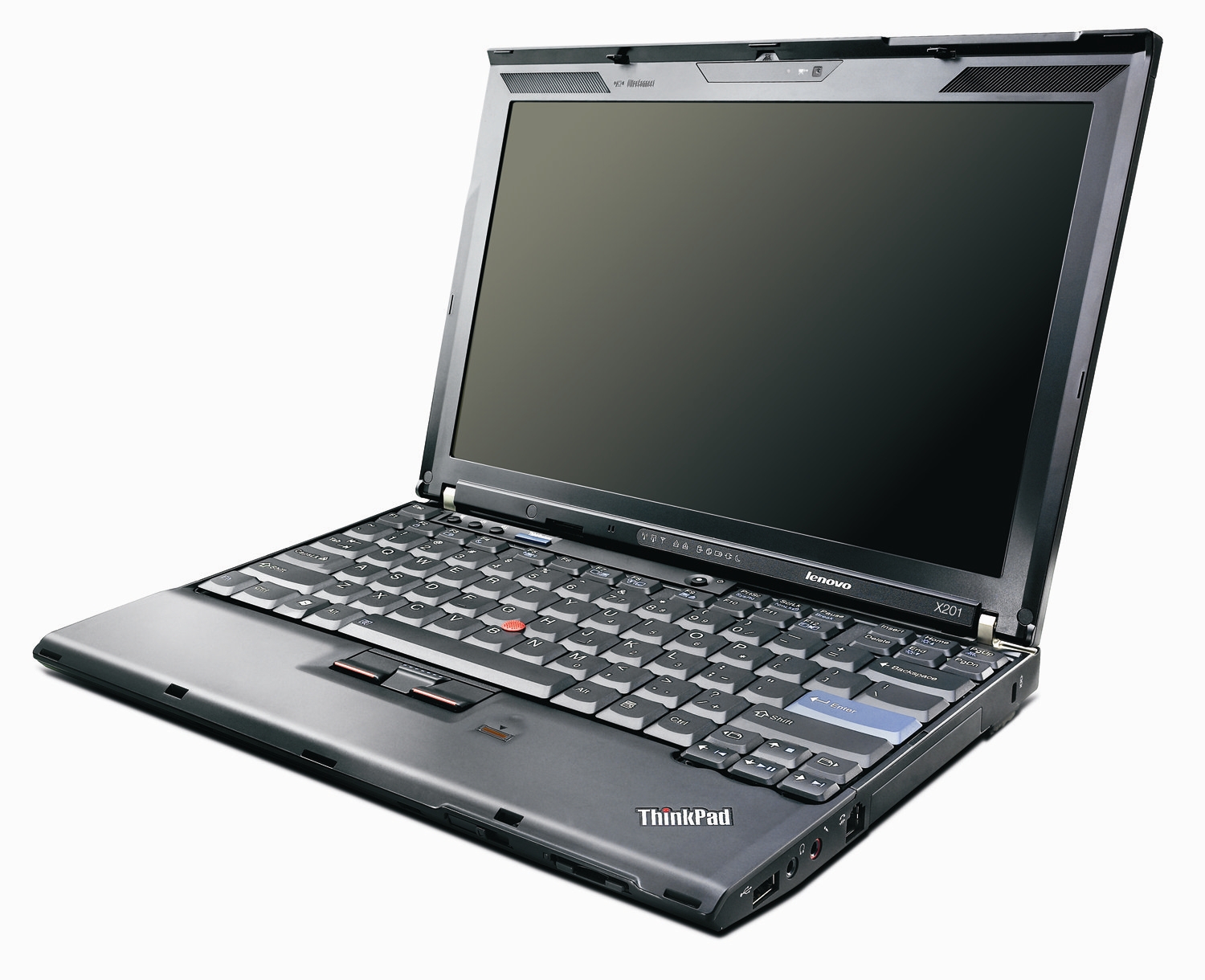
I've settled on the 12" size, mostly because it's the smallest viable laptop that you can still type on. If you look at the ThinkPad X201 [1] as an example from the post, the device is the exact width of the keyboard with no bezel. So, you could have an 11" or smaller device, but it would mean sacrificing a lifetime of typing muscle memory to do so.
> I've always owned 15" laptops, and i've never had any trouble fitting them in bags, even in a sleeve. I understand why people might want 7" or 10" netbooks, but a 12" machine just seems like a waste of space to me. I understand that most people feel very differently, though!
In my freshman year of college, I still hadn't gotten a smartphone yet due to being on my parents' phone plan still, but since there was wifi everywhere on campus, I used to carry around a Nexus 7 tablet everywhere. I could literally fit the 7" tablet in my pocket, which always seemed to take people by surprise. I think 7" is a lot smaller than some people realize; I don't think I could even type comfortably with both hands on a netbook that small!
My 12 inch Macbook is half the weight of a 15 inch model of the same year. That's almost a kilo less in your bicycle bag or backpack. It's very noticeable, especially if you're always on the go, but not always between desks.
If you do a lot of walking around, using public transport etc. And you tend to want to pull your laptop out and use it in places where you maybe don't have a proper desk/table to put it on then having a really small laptop can be really nice.
I remember loving my ~8 inch netbook during university. With virtual desktops it was more than adequate for coding projects even if the best seat I could find was on the floor against a wall.
The added rigidity feels good too, even something really cheaply built out of plastic will have little to no flex, and probably survive being dropped at that size.
I believe the primary appeal of a 12” laptop is that it’s the smallest that one can make a laptop while still having a full size keyboard. Any smaller and you have to start shrinking keys, which has strong negative effects on usability.
This is part of why the 12” MacBook and its spiritual ancestor, the 12” PowerBook G4 were popular.
For me, 12" is the smallest size you can fit a non-compromised, normal keyboard layout in.
I also carry around a smaller messenger bag which 12" laptops just about fit in. I tried to pull off a 17" Dell mobile workstation, but got very tired of lugging around a backpack and having no battery life.
A high-quality wifi card and software is more valuable to me than ethernet ports, which are so bulky that I don't especially care if they come built in. The Framework approach here is ideal.
I've very happily left a Mac touchpad. Not once but twice. While the gesture support in the OS is nice, I don't like how big the touchpads are. I feel like it regularly gets in the way of typing. I'm okay with the size of the trackpad on the Framework laptop, but it could have been smaller. I really miss my old Thinkpad trackpad with the physical buttons between the trackpad and spacebar, which I felt was really usable.
> I feel like it regularly gets in the way of typing
I understand that everyone's experience can be different. But wow I just noticed that my palms are so often on the touchpad while I'm typing and I have never ever had any problem with that.
Also I usually use my thumb to move cursor and click while other fingers stay on the keys and I cannot remember when it didn't behave according to my intentions. Especially considering the bigger contact area between a thumb and touchpad compared to other fingers.
I just checked edge cases and it works very reliably.
Cursor doesn't move if I use my palm.
It does move if palm is on the touchpad and I use my thumb.
It does move as expected if I move both thumb and palm over touchpad synchronously.
It follows the thumb as expected if I move both my thumb and palm in different directions.
I remember my first touchpad on macbook air 13 from 2011. It felt so much better than anything I tried before. But at that time it was physical and it had dead zone at the top of the touchpad. And it was smaller. Today's touchpad macbook pro touchpad is an engineering marvel.
For me it’s not about how big it is. The MacBook trackpads feel very precise. I rarely mis-click a part of my screen because my cursor drifted too far.
Same. Even clicking, alone right clicking, is super awkward for some reason on my partner's computer (I can't recall the brand, Asus or such). On my mac, it seems flawless.
I hated how big the trackpad on my 2019 16” MBP was. I now have a 2021 14” M1 Pro and the trackpad is the perfect size. I believe they also reduced the size of the 16” M* Pro/Max machines.
> can’t put my finger on why this is so much better than everyone else
Because it doesn't move. When you press down on an Apple touchpad, it doesn't displace at all, it vibrates. This gives you an identical touch response across the entire trackpad, plus nifty things like Force Touch and customizable response intensity.
Nobody else has done it, and it makes every other touchpad feel awful.
I'm just surprised that people feel so passionately about touchpads/trackpads.
Apple can have the best one, sure, I believe it. But they still are bad pointing devices as a type of pointing device. People have gotten used to them, because what else can you really fit into a laptop?
It's not a bad pointing device, that's the thing. I can use a Mac with a trackpad for pretty much anything, including image editing. It's precise, doesn't do ghost clicks/taps, and it's BIG
I never found a non-Mac with a trackpad I could use _at all_. I always need a mouse to use my windows laptop...
I find touchscreens fine in the right form factor (handheld, mainly), but I’ll never get the appeal of a touchscreen on a device running a desktop OS. Reaching up to touch a laptop screen feels awkward and laptop screens are some of the worst when it comes to rejecting fingerprints.
Plus, even if the manufacturer gets on board with an OS that is truly touch-friendly on a laptop, getting all the software manufacturers to also update their UIs for touch will be a long, long haul, I'm afraid.
I've designed non-trivial mechanical components in Solidworks on an Intel Macbook using the trackpad. Arrow keys to spin the model. Having a mouse is better but the trackpad is much better than using a mouse on a poor surface while mobile.
The only time I reach for a mouse on my mac is for gaming. It just doesn't feel necessary or helpful otherwise, even when using at a desk with plenty of room.
Really? For example as a software dev using Linux as a daily driver (so no gaming), would I not need a mouse at all with a Mac? (considering buying one)
I didn't use a mouse since at least 2006. Before that I was mandated to use one by the company I was working for but I probably didn't. Why should I lose time to move my hand to grab the mouse when it's already close to the touchpad?
I connected a mouse a few times to play some casual game but I'm not playing games anymore on my laptop.
I'm a keyboard extremist myself, not wanting to touch even the trackpad. Still there are some things where I can't overcome the need to use a pointer device (some GUI apps etc.). It'd be nice to not worry about carrying one more thing (mouse) in my bag, if Mac trackpads are as good as they say, which they prob are.
This is going to be extremely off-topic, but I'm just too terribly curious: the company mandated the use of the mouse? Do you mean that figuratively, as in your tasks were a lot harder to do without a mouse or did they actually make you use one for something like RSI concerns?
It was regulations, same ones that mandate the use of a five wheels chair with armrests. I remember we had to connect the laptop to a monitor and a mouse. I don't remember if we had a docking station and a keyboard too.
I'm a software dev using a Macbook, and day-to-day I use a mouse, but this week I'm housesitting and only brought the laptop, and I haven't noticed any decrease in productivity by using just the touchpad.
There's actually a few benefits, like touchpad gestures for app and workspace switching being much faster than the equivalent keyboard shortcuts.
Mouse was always the best way to play. Doom comes with demo files that are obviously recorded using mouse, and the manual clearly recommends using it. It also supports keyboard only play, but this is in no way the "intended" method.
> But they still are bad pointing devices as a type of pointing device.
The Apple one is so good though, it convinced me to buy their dedicated desktop trackpad for when my laptop is docked and I work on my large monitor at the desk. It got to the point where I prefer their trackpad for literally everything I do on my desktop, with games being the only exception. Though I am still fine and good with using a mouse. Trackpads on windows laptops though, it feels insufferable in comparison.
They sell a desktop version and there are people that use it instead of a mouse. It supports complex gestures and probably causes less stress on your wrist than a mouse. I'd say it's on par.
> because what else can you really fit into a laptop?
The nipple! I have no idea what IBM actually called it, but that's what it was. I would take it 10 times out of 10 over a touchpad (which I appreciate but cannot use properly)
I haven’t used a mouse since the first magic trackpads came out. Coincidentally, I have avoided RSI ever since abandoning mice and trackballs. Part of me feels that apple magic trackpads saved me from a lifetime of pain. They are that good.
I have a very nice Logitech mouse and keyboard setup, but still prefer to use the Macbook touchpad while connected to an external display. They're just perfect in every sense.
I actually thought the trackpad was better with an actual physical click. To me the versions immediately prior to making it a stationary piece of glass was basically the best trackpad I've ever used in my life. It's disappointing how no other laptop manufacturer comes even close. I approach every single new laptop like "okay, is this finally the one that even compares?" and EVERY TIME I am like "wow, yup, it's been this many years and still not even close"...
The t480s on linux is not bad for pointing and dragging, multi finger gestures of course aren't close. I could live with it. But on windows, clicking is totally broken, if your finger moves just slightly (and it does, since it's hinged), the click isn't registered. The gestures are a joke, since they just play out an animation instead of locking onto the finger motion.
There's a company called Sensel that makes vibrating trackpads similar to Apple's, Lenovo has been putting them in some of their Thinkpad laptops. https://sensel.com/
Apple’s been making better trackpads literally forever, and better drivers, too. I run Windows on an iMac Pro (for gaming) and sometimes use an Apple Magic Trackpad. It’s _dramatically_ worse in Windows than in MacOS.
So, as usual, it’s not just that Apple makes better hardware. They do — their trackpads have always been more precise. But the software interpreting signals from that hardware is much better as well.
In Windows I get more accidental touches turned to clicks; pinch-to-zoom is less reliable; taps are often misinterpreted or missed.
> Once you’ve used a Mac touchpad, it’s impossible to go back to a Windows/Linux laptop. I’ve tried…
I have the same problem, but with TrackPoints. It's impossible for me to use any trackpad after trying that, and that has had me tied to ThinkPads for the last 18 years.
Yeah, it does drive me crazy using laptops without a TrackPoint. It is REALLY convenient and quick to use. Daily-driving an X230 and it's just so low-friction to work with.
Me too, but I feel like I'm being slowly boiled with the trackpoint behavior on Fedora. I keeps changing over time and also being inconsistent between different devices in my possession.
It is jarring to move between keyboards and have to completely recalibrate my hands to the different behavior. Try as I might, I can't seem to make them converge with the mouse/trackpoint settings controls in the GUI.
The input method also does not seem to "scale" well with large or high-dpi screens, so even just changing resolutions for a work session can also disrupt the behavior on one single device.
Dunno, my Zenbook S UX393 has a glass touchpad as well (with some mini display underneath) and feels like the one on my MacBook but I can set up three buttons at the bottom, not just one. Moreover, it has 3300x2200 screen with slim bezels and without any insane notch and it can run Linux smoothly without waiting for GPU drivers to be usable.
Glass stopped being the special sauce for the MacBook trackpads a while ago when they introduced Force Touch. Now you can click anywhere on the trackpad with adjustable “click” feedback. I’m sure yours is nice but no one comes close to MacBook trackpads’ usability.
That's ok, but why limit triggers to button areas when 1-finger click anywhere on the trackpad can be left-click and 2-finger click anywhere can be right-click. Macs also have force touch for additional actions. There is probably a 3-finger click option as well. I don't have to know where the buttons are or look for them, no eyes need to be on the touchpad or keyboard, it's just an extension of my fingers.
I turn on the 3-finger-drag accessibility option on my Mac trackpads. It works amazingly well. You can drag, cmd-tab, and even add an additional click to focus a part of an app without losing the drag. I’m amazed every time.
I have a cheap Lenovo Chromebook ($140 MSRP) and the trackpad is nearly as good as an Apple one when running ChromeOS. So it's definitely possible for a cheap machine to have a good trackpad. Why does everything else suck so badly?
True fact: I had no idea what the "usability gap" was on touchpads, even 10+ years ago before the physical click was gone, until I was on a biz trip with a Windows-using colleague who'd forgotten his mouse.
He took a cab from the hotel to a Best Buy to buy a mouse, and I teased him about it. Like, are you such a hothouse flower you can't work for 4 days with the touchpad?
He said something to the effect of "oh, like you wouldn't do the same thing if you left YOUR mouse at home," which was when I realized he hadn't ever noticed that I don't travel with a mouse.
"But how do you put up with it? It's SO BAD!"
"It really isn't; I never think about it!"
And we were baffled by each other for a few minutes, and only when we swapped laptops did either of us realize the HUGE gap.
I had no idea Wintel touchpads were so awful in that era (and horribly horribly small), and he had no idea that a touchpad could actually be good.
It was a weird moment.
(It took a while, but Dell at least caught up. The pad on my XPS15 is, while not Mac-level, absolutely usable. I have no experience with other Wintel makes in the last 5 or 10 years, but I assume the same is true of HP and Lenovo.)
I've used a Mac touchpad, and IMO it's pretty much the same as every other touchpad: so dramatically worse than a real mouse that I'll do everything possible to avoid using it. Of course, there may be differences in degrees of badness, but I'm never going to notice, because if I really can't manage with keyboard shortcuts I'll just plug in an external mouse.
You can customize the intensity of the click feedback as it's not actually a click but a linear actuator tapping back at your finger from the other side.
Mouse acceleration intensity and curve are editable as well.
Perfectly fine for it to not be your cup of tea, but there is some customizability.
One thing that it's brilliant at is dragging, you press down on an icon with the index finger and drag around with the middle finger by just touching, while keeping the index pressed. It works beautifully once you're used to the motion. You don't have to keep the index pressed and drag it at the same time.
Personally, I don't like it as it's too large.. and I keep hitting it by mistake... for a while I ran Thinkpads with a touchpad disabled, just using the "nub".
I have both turned on on my thinkpad, but instinctively use the nub 90% of the time. I use the trackpad for scrolling and zooming a lot though. ANd if I'm using it on my couch, I need to turn the trackpad off completely, because my belly keeps activating it. :-/
For me, the smaller the better. I'm fortunate enough to do most of my real work at a desktop setting, so I'd like the laptop to be as portable as possible.
With that in mind, in terms of pure form factor, the Asus Flip Chromebook (2015) was about as close to perfect as possible. Sure, its processor was anemic even at release. I'd want a higher quality screen. But the keyboard was very good by my standards. The 10 inch screen was the perfect size and was 16:10. Weighed around 1.8 pounds (0.82 kg). If I could have that form factor with modern tech, I'd be in heaven.
Second favorite is the current iteration of the iPad Mini. If I could get that with an M1 or M2, full MacOS, then I'd be happier than (insert metaphor here).
Third favorite was the 2015 Macbook. I'd wish for a better keyboard and more ports, but overall the form factor & weight was extremely good. Would be stellar with a modern Mac kb and Apple Silicon.
Fourth fave was a tiny Sony Vaio from 2000. Forget the model name / number. Also under 2 pounds with a 10 inch screen. Honorable mention to the Asus Eee of 2008. Screen was too small but otherwise it was a perfect size & weight.
I guess I'll have to try a GPD laptop one of these days. They seem to be among the only ones providing tiny & small laptops.
I'm of a different opinion. My current daily driver is a Lenovo Gaming laptop running Pop OS (I was running Fedora on it but due to the redhat drama I'm distro hopping to find a suitable replacement)
I like rugged, beefy laptops with fast screens and discrete graphics. There are downsides, for instance, no linux system I've found yet seem to be able to replicate the battery life optimizations that come by default with Windows, Fedora had issues properly responding to the trackpad, pop OS seems to have stuttering issues playing back youtube videos on Firefox, annoying things like that, but I like having the raw power needed to do things like running stable diffusion or koboldAI or whatever LLM client I want or play some video games or editing images and videos, doing light programming tasks, and just being an all-around do-what-you-want platform that doesn't try to opinionate me out of an option I might want to try.
I will probably give Debian 12 or SUSE a try on the next go round unless I find something better.
Personally, i have found my perfect laptop: The Thinkpad R60, though ancient is - for the things I do - simply perfect. It runs really good with various BSD systems (and of course Linux), has an easily changeable battery, a - in my opinion - great keyboard, is repair- service and (modeartely) upgradeable. I have mine now for over a decade and will keep it running as long as spare parts are available. Will i ever buy a successor? Maybe... but (besides possibly the MNT Reform) i have not found anything which trigger the "must have" reflex in me.
Whoa, this is great! I really never thought about putting a whole new set of guts into it... Somehow i have now intrusive thoughts about a fast, energy efficient SBC and the Thinkpad...
I keep hearing this, also for phones, and people usually associate it with certain materials.
Why? I'd rather have a light plastic laptop/phone that works well, is light, and survives a few hits than an overpriced piece of fashion. Bonus points for phones with cracked backs because glass "feels more valuable".
Of course I understand the value of e.g. good hinges, keyboards etc., but pretty sure that's not what people are generally referring to.
I drove it 54,000 miles around Africa on the worst roads in the world, using it every day in the heat, humidity, dust and sun. I drove it 30,000+ miles around North America using it heavily. I drove it 36,000 miles around Australia, using it at least 30 hours a week in the dust, heat, sun, etc.
It's had many dings and bashes and a few drops.
It still works great, and I've never repaired a thing on it. The charger has duct tape on the worn cables, and battery life is down to about 3 hours with light use and less than an hour editing HD video.
Exactly. I don't care how it's built I care that it survives some daily use that is not sitting on a desk.
My job many years ago provided me a Lenovo x220. I used to haul that thing from NJ to Arkansas with me twice a year and all over. It was not pretty but it literally took anything I could give it.
My current M1 MacBook Air goes with me on my bicycle daily, goes camping and goes everywhere with no issues.
My Starlabs linux "star lite" laptop had screws back out of it the first time I took it on my bicycle. After replacing screws over and over and eventually taping them in place to avoid the hassle the display stopped working. After fixing the cable for this eventually my keyboard began acting up and now the machine is just a desktop. Mind you this was in about 1.5 years.
Everyone should experience the x220 keyboard. It's probably the best laptop keyboard I've experienced.
The x230 onward is also extremely good.
The trick for me is key travel. I bought a new Thinkpad that had 1.3mm of travel and instantly hated it. 1.5mm feels so so much better (not to mention 1.8mm). No new thinkpads have above 1.3mm I believe (in the pursuit of thinness).
Meanwhile my (new in) 2016 macbook pro overheats if I plug the charging cable in the wrong side, have a bunch of keys that don't register and only moved a total of maybe 300 feet after reaching the office.
I was using that to show how beat up it has been, the conditions it has had to endure and the amount of use it has had.
I think it's safe to say a laptop has to be pretty tough to handle what mine has been through, compared to one that sits on a desk, or commutes to/from work in a backpack.
When it comes to laptops, plastic exteriors are often a signal that the machine is lower end with as minimal of an internal frame as the manufacturer can get away with, which means that it’ll have extreme body flex which is bad for motherboard longevity. It also means that the laptop will probably squeak and creak when picked up and handled which subjectively feels cheap, and doesn’t bode well for the laptop being able to take a tumble.
There are exceptions like the older ThinkPads which had robust frames under their plastic, but this is not typical.
I'd suspect it is related to the thinness push. I share with the author a lack of need for my laptop to shave every last millimeter off, and I've had sturdy plastic laptops in the past... but those laptops are from many years ago now. Shaving every millimeter and still feeling solid requires non-plastic.
chazeon observes the Steam Deck feels quite solid, and I'd agree, but it is also definitely a device that isn't shaving millimeters. Compared to the Switch it is quite the chonk. But it also feels solid. So does the Switch, but the Switch does it with metal.
Odd example but the Nintendo 3DS/DS/Wii U are also good examples of string devices built out of plastic because they needed to both be extremely durable and relatively cheap. It’s completely doable if you make it a design goal
It looks to me like you're thinking of "build quality" as mostly esthetic rather than functional. I think when most people describe build quality, they are talking about good hinges, keyboards, and the ability to survive a few hits.
Yes, good hinges are probably the second most important thing when looking at build quality, second only to the keyboard. Do I have to gingerly baby the laptop when I pick it up to move it in order for it to last me 5-10 years, or can I man-handle the thing, and just pick it up by the screen, and still have a laptop that can open and stay open at a specific angle, and that will still close all the way without creaking and threatening to break 5-10 years down the line.
But that's also a more niche audience. The people who've bought a steam deck (myself included) are more likely to care about, and know about, hardware. When selling to an audience that can't evaluate the build quality as easily you have to rely on shorthand. One common shorthand is that plastic things are bad build quality
> an SD card reader, why not, they’re $5 … also the ability to upgrade the basics, like memory and storage
> 12” body … to fit the 13" to 14" screen it would have very small bezels, this is a great size for fitting in bags and sitting on small tables
Remove one and it makes the perfect laptop much more attainable. It’s near impossible to fit removable hardware and many ports in a small body. Thinkpads are pretty close, but even some of those have to have a flip open expanding port for Ethernet. An hdmi port is taller than many laptops. The small body really is a huge plus for mobility and comfort, but you can’t have ports/etc with that.
Oddly enough my perfect laptop is still the google pixelbook. Enough power for what I need, flawless construction, incredible trackpad and keyboard, runs Linux and chromeos/android apps, is absolutely gorgeous, and super portable.
Downside is there are like no ports so you need a usb hub, the bezel is huge, and … it hasn’t been improved in like half a decade.
I'd add "expandable storage" (and "can be fixed") because even if it's an Apple-esque SoC (which we're clearly going to be seeing more of in the future by other brands), there is no reason to not offer one or ideally two m.2 slots that you can just stick more, "slower", storage in.
I'd venture to guess that the take rate on custom configs from any manufacturer is quite low. Most consumers are going to go to Best Buy, Apple Store, et al and buy what config is available today, not wait to order some custom model.
Then it's a good thing no one charges that. I'm all for calling out Apple for bullshit, but their "768 GB more" model is a $200 upsell, not $500. And yes: it's a huge leap from $200 to $500.
Depends on the model. The MBAs and Mac Mini ship with 256GB by default and getting 1TB (768GB more) is an extra $400 USD. The MBPs and Studio/Pro start at 512GB so 1TB is "only" $200.
Same, I don't mind carrying a big machine. Problem is most have a numpad, which shifts the keyboard and touch pad to the left. Being right handed, I find this very annoying.
It seems that the 16" Framework will come with separate keyboard and numpad. The numpad can be placed on either side or taken away, and the keyboard centered. If only they had a touchpad with physical buttons...
I'm sure someone will make a split ortholinear keyboard with a numpad in the middle for the Framework. That'd be the dream.
I can't ever imagine using another trackpad with physical buttons though. Just extend the trackpad over the space that the button would have taken up. I should be able to left/middle/right click anywhere on the trackpad, not move my hand back to the button to click.
I'm in the same camp, 6'3" giant hands. Yet when I was given the option at work between a 13 and a 15 inch Macbook. I went with the 13" and LOVE it, sure I look a little silly with this tiny laptop. But it really does fit just right for my hands and weighs nothing.
For me, I would much rather carry a 13” laptop, which is not only light but also opens up my bag options to small backpacks, slings, etc. and then pack nice peripherals like a keyboard and mouse. The size and weight requirements for a 17” laptop just do not work for me. When traveling and trying to not check a bag, that space is a premium and the flexibility of being able to store the peripherals separate, rather than the whole inflexible lunch tray really helps. Around town I don’t want to be lugging around that much weight since I like my spine and don’t need anymore back problems.
You're not the only one. I mostly use laptops as notebooks, not on my lap, and usually plugged into a docking station for a decent keyboard, a mouse, and external monitors. I don't need a laptop for ants!
There are still a few 17" laptops in production, like the razer blade, but I was referring to the 2011 17 inch macbook pro[0]. It was called the "lunch tray" by people who thought it was too big.
I love my P50! Although I'm still a little salty that I couldn't find any decent P51 models on eBay when I was buying, because I have a P51 mustang sticker on the back and the joke doesn't quite... land.
Two aspects in which Apple's newest Macbook Airs fit at least my own "peak laptop" definition are:
1) no fans whatsoever
2) no coil whine when I plug my headphones in and stress the CPU
The keyboard is exactly the right size and the right font for me, but I'll concede that muscle memory is an individual thing. I've owned Apple's laptops and keyboards made in 2005, 2007, 2010, 2015, 2019, and 2022, and they are very hell-bent on being consistent about key size and placement, I should give it to them.
I'd like a Linux laptop that would beat this.
XPS13 is a close contender because that 3840x2400 screen is the right kind of ratio and super crisp, but man, that fan noise and the coil whine are just killing the mood. Maybe Thinkpad X13s, but Linux support and its screen are both very meh at this point.
Interestingly, the first time I heard a coil whine in a laptop was with the M1 Pro MBP. I never had it with any PC laptops. I found that it depended heavily on the electric wiring. It happened semi-frequently in Brazil, but almost never in the UK.
There are nice utilities for capping your CPU frequency on Linux. So, IMO it would be better to have the fan, set your cap low enough to not need to use it most of the time. Then if you do need it, you have the ability.
I don't know if I won the lottery, but I have sensitive hearing and I've never heard a coil whine from my XPS 13 (9300). The charging brick did develop a whine which I replaced. It also had the perfect keyboard with no wiggling key caps. Later production 9300 models and recent XPS laptops do have key caps that wiggle (once you notice, it's super annoying, I think I've been spoiled).
I bought a 12" Macbook last year because my 15" is too heavy to lug around. It's so light that I forget that it's there. I spent months on the road with it. At home I would just plug it into my USB-C monitor and use a keyboard and Magic Trackpad.
Unfortunately it's too slow to play YouTube Music in the background, especially if Docker is also running.
I would buy an M2 version in a heartbeat if Apple made them. I recently bit the bullet and got an M2 Air. It's a lovely machine that's better in every respect, but it's 30% heavier, and I can feel that every time I take it with me.
A 900 gram laptop that charges with a phone charger is just incredible to have.
> 2560/1600 = 1.6 (this is a good aspect ratio, the perfect laptop has a ratio ≤ 1.6)
Not just laptops, but monitors in general should be 16:10 or taller. 16:9 only became popular thanks to the computer display industry naively adopting the aspect ratio of televisions. But 16:9 comes from the film industry and has nothing to do with computer productivity. It's a shame that so many monitor manufacturers still focus almost exclusively on 16:9 (or even wider, when width is easily achieved by multiple monitors, side-by-side). I'm fine with the wide options existing, but give me some taller options, too, please.
I’ve never really been satisfied by how either Windows or macOS handle window tiling - and so having multiple monitors has been easier to make work. It also gives me the option of having one screen for one device, and one screen for another - though that’s maybe more niche.
The size of a laptop often affects the size and distribution of its keyboard keys.
What's appropriate for the user has a lot to do with the size of their hands, and I think this gets overlooked by many who are instead thinking about display size.
As a person with smallish hands who programs (types a lot), anything larger than an X40/X60 ThinkPad form factor has been very annoying to use.
The move to widescreen aspect ratio displays has completely wrecked laptop typing efficiency in my world, since it tended to stretch out the keyboards beyond what my fingers can reach without lifting a palm.
I wish laptop keyboards were treated more like specialized instruments fitted to buyers hands, like shoe sizes. If you consider how much $$ is paid to people that type all day, it's asinine that the laptop industry hasn't matured into optimizing that interface for individuals. Can't I at least get two hand size variants in the average laptop ordering page? Instead it feels like things have only regressed in this department since the classic ThinkPad days.
1. Make it 16:10. There is plenty of bezel for that. 1900x1200 or something like that. 1200p was pretty common on good CRT monitors in the 90s.
2. Make the number pad optional. Framework is doing that with their 16" model. I'll bury my number pad and give a party.
3. Keep the three physical buttons on the touchpad. By the way, it can probably do gestures and it definitely register clicks but I use it only to move the pointer and scroll with two fingers. I bought the physical buttons because I want to click with them. The middle one pastes the text selected with the left one (Linux.)
4. Keep it user serviceable. I replaced RAM, disks, keyboards, battery a few months ago, it aged well.
5. Maybe make it 2 kg.
6. Maybe trim some bezel on the sides and make it less wide.
7. Definitely make it work with a much slimmer power unit.
8. It's got USB 3 and 2 ports, DisplayPort, VGA, SD card. Probably add an USB C but I don't know. HDMI? I've got a converter for that.
9. Current year CPU and RAM.
10. Discrete graphic card? Don't know, probably not worth it. I have to watch videos and move my desktop, that's all.
Sure, that was so obvious to me that I forgot to add it to the list. I'm using that laptop now with an Ethernet cable. Why should I want a laptop with a dongle connected to it all the time? Also internal WiFi and Bluetooth, no dongles for that please.
While there is a lot to like about modern ThinkPad X1 series, beware that modern Intel "MIPI" webcams (like the one in this model) are unlikely to be convenient to use on Linux for the time being [1]. MIPI support is coming to Linux, both kernel and user space, but it is highly nontrivial, and a reasonable estimate is two years from now [2]. Or, you can make it work right now, but it requires some temporary hacks [3].
Get an IBM ThinkPad 380XD, swap out the screen for a Chromebook Pixel's 2560x1600 screen, then swap the board out for the Macbook M2's silicon along with as much RAM and as many ports as you can fit in the chassis.
Port Windows 2000 to it, hit me up and name your price.
M1 or M2 MacBook Airs *with 16 GB RAM* (and this is the catch). These are notoriously costlier (and difficult on retailer sites where you get deals) to have compared to their 8GB counter part - Apple already making it difficult for users to keep the laptop around for longer, because that default 8GB RAM is going to run out sooner than you think. And you can not upgrade it once bought.
Anything on Windows (or Linux considering you'd install that) I wouldn't even touch below 24-32GB or 16GB to begin with and then expandable up to at least +16GB.
It is so shocking to see people declare their laptop just works at the soldiered xGB RAM. Well, a year and half later it will start feeling the pinch.
This all depends on your usecase. My daily driver is an older $300 Dell laptop with 8gb of ram running bunsenlabs with i3wm. All I did is stick a 500gb ssd in it and it works absolutely fine. With standard dev workflow, I can get close to 6 hours of battery life, never run into memory issues. But my development is mostly python and C.
I do agree that Macbook air from a hardware perspective is a very good configuration for a general purpose laptop, but the MacOS absolutely ruins these laptops, at least for me. Having a work issued Mac, its kind of amazing to me with how much bullshit OS things people, especially technical ones, just put up with.
My intel MBP 13" has only lasted as long as it had because I got the 16gb of ram, and wouldn't consider anything lower these days. The upgrade from 8 to 16 only a few years ago though was about $200 (already too high imo), but now every ram tier is a laughable $500 CAD upgrade. FIVE HUNDRED DOLLARS for 16g more, and even though I know it's a great computer, it just feels sinister. Considering it's an additional $500, I'd be paying a full grand for the 32gb package. Like it's only priced for idiots who finance a new car every few years and get all the options
Yeah. Unfortunately high RAM - no strike that; reasonable RAM laptop is hard to find at reasonable prices. And by the time FrameWork or something like that reaches my corner of geography I think it’d have been too late for me to try those things.
There was sale recently in my country across online retailers like Amazon. There was decent discount on 8GB one, but the 16GB one? It’s not even available. It is never available with retailers.
Yep, custom order or your shit outta luck. The 8GB is... fine, but not really an upgrade unless I was doing something that didn't tax ram at all. I tried it out when mine was in for repair, and I did notice the increased performance of the M series chip, but it showed it's limit pretty quickly when I spun up the 8 docker containers or w/e I was using regularly.
Furthermore, I want a red one. Sick of this silver stuff.
Sadly JDM exclusive and has soldered RAM, but the latest models come with a 3:2 display, decent I/O (e.g. RJ45, full sized SD card reader, even VGA (!)), magnesium alloy chassis and a removable battery in a sub 1.1 kg package. Can't speak for the quality of the trackpad or keyboard though.
This is amazing, it looks like the laptop an engineer would make if he was told don’t worry about aesthetics, just make the thing exactly as you’d like.
The circular trackpad is an acknowledgement that most engineers hate using trackpads, generally only will use a laptop docked, and would rather have a better typing experience than a giant trackpad that will only get in the way the few times they do use the laptop on the go.
“If you can’t do it in the keyboard it’s not worth doing”
Circular trackpad my goodness! I’ll also never go back to metal/plastic handrests on a trackpad after using whatever material is on a pixelbook and the crazy fabric-esque option on a ms surface - huge game changer.
The trackpads are great (assuming new models are similar to past models), and the keyboards are IMO very good, but watch out for the squashed key dimensions on the SR and QR, and the Japanese layout.
One missing criterion: allow purchasing without Windows pre-installed, and thus with a slightly reduced price. I resent that all new "Windows-default" PCs include the OS (presumably driving up the price) which I am going to immediately erase.
I bought a first-generation Framework a couple of years ago, and it's been perfect for me. I don't especially need a thin/light laptop, but what I care about is that it's snappy and sturdy, has a nice keyboard, and can be repaired to last long-term (like the Thinkpad T430 that it replaced). The Framework fits the bill on those fronts, so it earns a long-term position on my nightstand.
I had probably written a longer comment earlier on HN, but if anyone is looking at this and is waiting for the perfect laptop... don't. (Assuming you have the money & time, I unfortunately do not right now.) The catch is that you would need to have moderate levels of proficiency with mechanical and electrical skills.
At the end of the day, commercial clamshell laptops...
1. Have terrible ergonomics, due to the small distance between the keyboard and the screen (unless you're a baby, in which case, hi!). The small screen size doesn't help unless you're okay carrying a 17" laptop around.
2. Have components that will fail due to hardware wear and tear. Most noticeable are the hinges but also USB/audio ports and sometimes keyboards. Be it gunk or an accidental pet dropping the laptop on the port.
A few companies occasionally try to address [1] - like the Asus Easel or the Lenovo/Asus folding laptops that improve portability or screen angle/position. Framework laptops address [2], but are traditional clamshell.
If you truly want a solution,
a. Choose a decent single board computer (SBC) as a base, like a gigabyte brix.
b. Print a 3d case for it to make it as small as possible.
c. Spin your own display from panelook.
d. Attach case from (2) with an expanding hinge-type contraption.
e. Embellish with desired parts. I'd suggest framework expansion cards.
f. ???
g. Profit!
(It doesn't hurt that 4"*4" and VESA-compatible SBCs and miniPCs are often standardized at least in 2 dimensions. And if anyone's interested in anything more on this front - making one, selling it, making a business of selling it etc - feel free to reach out to me (email in profile). I'm frustrated with modern laptops and fortunately have a degree in mechanical engineering.)
Hi! I'd like you to know that despite this being downloaded, I completely agree! The ergonomics and repairability concerns of laptops, as you point out, are a big down side.
That said, I think what you posted as a solution is not practical and perhaps not portable (Multiple pieces? wires?); maybe something like what you're thinking as an easy-to-use/portable/commercial solution could be a design goal for future portable PCs.
I came here to make this comment if it hadn't already been made.
Seriously though, this is the one thing that has kept me a ThinkPad user ever since I got my first university-issued laptop 21 years ago. I've had other laptops since then, and I've never liked any of them. Once I've got my hands in a comfortable position for typing on a laptop, I often have to move either my entire arm or my entire laptop in order to use a trackpad. I don't even really want my laptop to have a trackpad, it's just something for my palm to accidentally hit.
No, it's not comfortable for extended gaming or other things like that, but honestly if I'm not using an external mouse for that I'm going to be pretty grumpy anyway.
This and physical mouse buttons are my bottom line for any laptop. Without these, I'm simply not interested in using the laptop, they are not optional. Good keyboard is very close 3rd place. I don't care about the trackpad, I don't use it. I'd prefer if it didn't have one at all, in fact. My ideal laptop is basically an IBM Thinkpad 365x with modern screen, battery, updated peripherals and internals.
All three physical buttons, at that. My work laptop has a trackpoint and the right/left click buttons, but it's missing the middle button that lets you scroll with the trackpoint. The same button works as a middle-click for pasting the second text buffer in Linux, which is nice to be able to rely on when transitioning between terminal and web windows.
I've tried to use the trackpoint, but I find it much harder to be as quick as I am with a trackpad... is this just a thing that gets better with practice?
It seems to me like overshooting my target (say, a window close button) is much easier with a trackpoint and much slower to recover from vs. using a trackpad.
Apple gets it. If I'm using a laptop I don't want to stick my fingers onto a touch screen blocking my view and leaving marks. Macbook does one thing extremely well. It is a laptop for serious people not a lap-tablet.
The touch pad is BIG. I need it to be big because it needs to fit my body. Every other brand always seems like trying to sleep on a mattress or wear a glove that is too small. Even a slight difference in size can mean the difference between completing a gesture in one fluid motion or running out of room and having to do it in multiple motions. The scrolling resolution on Mac is much finer than windows which does one line at a time. It's frustrating trying to make adjustments like zoom in windows because the scrolling is so damn janky.
I've had 3 different ThinkPads and 3 different Macbooks and I've always preferred the Macbooks for so many reasons like battery, thermals, display, non-plasticy materials.
I've picked up the Samsung Galaxy book Pro or whatever it is, in 16" - and it pretty much checks all these boxes.
Fullsize HDMI, 16:10 screen, headphone jack, sd card reader, USB C and USB A, large touchpad, keyboard is quite good (for me), screen is AMOLED (glossy but nice), battery life is quite good (I get about 6 hours of medium use), it's quite thin with small bezels,fans are a bit noisy but it's not something I care about, SSD is upgradeable (plus another slot for expansion/dual boot), RAM is soldered unfortunately, webcam is good, mics are good. Linux support is getting better, originally it was useless but after a few kernel updates it works quite well. Fingerprint reader doesn't work on Linux though.
Honestly my thing about buying a laptop for gaming is if you're gonna basically be plugged in to use it anyways you might as well get an itx case, throw in all the parts you need with a portable screen and keyboard and it will all fit in a backpack for you to carry around. Granted there aren't as many console style cases around as there used to be. I think I ordered the last Skyreach 4 Tiny.
For those who are budget or environmental conscious a second-hand Huawei Matebook can be a great choice. The older premium models have great battery life (think 13+ hours when undervolted), are passive cooled, have great 3:2 high resolution screens (with very thin bezels) and very good build quality. You can charge them with USB-C so if you have an Android phone you don't need an extra charger. SSD is upgradeable, sadly memory is not.
It's not an alternative for a M2 MacBook, nor is it going to run your 200+ microservices but for 200-300 bucks they tick a lot of the boxes and work great as ultra-portable productivity machines.
For me the perfect laptop was actually the Chromebook Pixel LS from 2015. Retina 3:2 touchscreen display in a 13in aluminum shell with a really good trackpad, usb-c, and built in webcam. Could be configured with 16GB of RAM though the ssd topped out at 64GB, but it was a laptop, I wasn't going to be storing games or media on it.
However that generation of the Chromebook Pixel had a defect of some sort where the adhesives in the screen breakdown after about 6-7 years and leak into the display, causing discoloration. In fact if you have one of these and have left it untouched for a good amount of time you should check it, there's probably adhesive that has leaked onto the keyboard.
This single incident where my favorite laptop is basically unusable after 6-7 years with no way to raid another one for a spare display (they all have this problem, and their display isn't interchangeable with the 2013 model)is why I'm an even bigger proponent of right to repair and easily upgradeable or interchangeable parts. If I had my way of things, I'd simply open up the computer every few years and replace the motherboard with something more modern but keep the shell. If I knew how to design motherboards or replace laptop displays without completely destroying or scratching the chassis I would. Watching the screen slowly discolor and turn to a milky blue is almost like watching a beloved dog get old and develop cataracts.
I want to mention Tuxedo Computers and Slimbook which are great.
After trying a Slimbook I don't think I'll buy another brand unless a company like this one pops up. Of course Tuxedo is an equally good alternative but Slimbook HQ is literally 45 min away from home so that's a plus to me.
They make laptops fully compatible with linux, offer great custom support, their designs are pretty nice in my opinion, good specs, quality build, good battery life (except for the "gaming" laptops), good trackpads, etc.
I use an Asus RoG X13 Flow 2022 edition, and while it has its flaws (that the 2023 edition ironed out), I run Fedora on it and it's wonderful. I use it docked most of the time, and my requirements were mostly unique.
I wanted power. This has a Ryzen 9 and 32 GB RAM. I needed a 13 inch form factor because I use external monitors and don't want to lug around a large laptop.
And for the keyboard, I use a Kinesis Advantage 2 most of the time, but I had a very specific form factor requirment as well, I wanted to be able to use the laptop with the keyboard folded up under it. This gave me the ability to do that and plop my Kinesis in front of it. More desk space!
I like the built in keyboard though and for the life of me, I don't like trackpads. I've used a Mac before and while the trackpad is nice, and I've considered attaching a Magic Trackpad to my keyboard, I'm in love with trackballs. I use a Logitech MX Ergo Plus, and it is wonderful. I use Qtile so I don't really rely on the mouse much, but when I do, the trackball is great.
But I get the appeal of a Mac. I've considered getting a 13 inch MacBook and using it to just ssh into a cloud machine for work. I'm on the fence about it, but I might do that one day and just live my life in the terminal.
Real keyboard with full sized cursor keys, dedicated pgup/pgdn/home/end and PrintScreen keys. 2 nvme ports. 2 Usb-A connectors. QHD at 16:10. 32Gb, 8 true cores. AMD CPU + video (for Open Source geeks).
Closest I ever found was HP Omen 16 Advantage Edition. Got it but it also has problems with trackpad, cheap speakers (B&O brand is meaningless), and power supply is a brick. Could use a 16:10 display (its QHD though). 8/10.
The following is my review on Amazon.com of the M1 MacBook Air:
This is a landmark model, a classic, a perfect machine.
I've been using the 2020 M1 MacBook Air base model (8 GB Ram, 256 GB HD) for almost 3 years now as a daily driver. I'm a software engineer and I use it to do web development, often with a single large external monitor. I have the base model and it holds up find to running multiple docker containers and my terminal and a couple dozen browser tabs and my editor and all the basic tools of software development.
The design is particularly sleek and minimalist, even as MacBooks go. It has everything it needs and nothing it doesn't.
And it is solidly built. I dropped my MacBook on a concrete floor at an airport from about shoulder height (I was holding it by squeezing it with my armpit while trying to pack up after going through security and it slipped) and it took a pretty good solid hit directly on the corner -- I have a small dent there in the aluminum that you would have to look pretty close to see, and other than that everything was fine.
The battery lasts for so long that I often go a day or two without even thinking about where my charger is.
It is very light, it has a fingerprint reader that works perfectly, and everything about it just seems functional and elegant.
Also, it's super fast and snappy.
I think this will go down in history as a landmark model. Apple did a particularly good job with this machine and I believe it will stand the test of time. This is a machine that a person could use for a decade. It's really nice and really well put together and well integrated as an overall package.
I have a surface book (the original) that I inherited from pilot program at work. I love the idea of it, but practically, it just doesn’t work, I rarely if ever used it as a tablet, and when I did it wasn’t a very good tablet because the OS still doesn’t support that input method very well. As a laptop a lot of compromises were made to support that form factor and if just wasn’t worth it.
As much as I'd like to find a new laptop, I can't still find anything better in terms of form factor and keyboard than the ThinkPad X200/X220.
Really can't understand why they don't keep at least one model that is aimed at people looking for a laptop you can work on, and not just another model with tenth of an inch shaved of the thickness of the laptop.
I don't like that Lenovo is put shoulder to shoulder with Apple here. I have never personally owned a macbook, but my SO has and they are multiple classes above anything Lenovo has made in the past decade. My work gives me a P1 and I liked it for the first year (especially with that mobile xeon with every ISA extension on the block), but I am growing tired of it. Here is the short list: the touchpad drops out, blue screens, thunderbolt dock driver issues, docked displays needing to be unplugged/replugged multiple times, waking from sleep mode without my input (good reason to never use this for a laptop that is used on the road), failure to wake from sleep mode (full speed fan and black screen until the power button is held for 30 seconds), the laptop deciding to say "locking" for a split second then going to sleep while you are in the middle of working or presenting.
Macbooks are not perfect, but lenovos are not good.
At the end of the day, it doesn't matter to the end user whether it is due to the OS maker or the hardware manufacturer.
That distinction would only matter if the comparison was limited to Windows laptops only, because that would establish a baseline that is the same for every single option. Some people want nothing to do with any OS outside of Windows, and that't their choice, nothing wrong with that. Once Windows-only limitation is gone, that distinction becomes kinda pointless.
There is one more possible drawback and it is business continuity or long term support (macOS and Windows by default and Linux for both (Apple eventually will have great Linux support)) and while Lenovo and Apple seem that they will be on the market for the considerable future we can't surmise that The Framework will be.
I'm tempted to say that it also needs IPS/anti-reflection screen.
I am currently in the process of choosing a laptop and it's one of my main requirements.
So far, I'm looking with tender eyes to the MSI Prestige 13 EVO.
I have no idea about Linux compatibility, thought.
Either 100% USB-C, or include a USB-A port. I'm really sick of laptops containing ports that I'll never use, but needing to STILL carry around an adaptor. I don't see how anyone can justify getting rid of USB-A (which everyone needs,) while still keeping things like 3.5mm headphone jacks, SD Card readers, HDMI... Just go USB-C only (and make everyone carry an adaptor) or include a USB-A port with the plethora of ports that I'll never use.
I really want to bring back 17" laptops. I know this is a niche market, but I really miss my old 2007 MBP's wiiiiide screen. I don't mind the weight and the size; and there's plenty of smaller laptops on the market for everyone else.
HP EliteBooks are pretty solid. I have a few G7's in different sizes and dual boot on all of them. The 840 is probably the perfect size, 14" 16:10 screen, plenty of ports, excellent keyboard, fully upgradable SSD and RAM, and overall great build quality.
I have a super old one (8470p) which I got refurbished, and I love that thing so much. Being from 2012 it's obviously not up for real work these days, but the build quality, how you can just pop open the case and expand and swap all sorts of things, that instantly spoiled me and my next laptop will be something comparable or better.
> a large, quality touchpad backed by great software
> another Apple can’t put my finger on why this is so much better than everyone else things
I was gonna say, I don't use Apple devices anymore but no one makes touchpads like Apple. I have no idea what it is or why it's apparently so hard to replicate, but MacBook touchpads seem to intuitively work exactly how I expect them to, to the point that they're pretty much as seamless to use as a mouse. No non-Mac model I'd used before or since measures up.
The Asus ExpertBook B9 (12th gen Intel) I got from work, and now running Linux Mint on, is the closest thing to this spec I've experienced.
I love the sub-1kg weight and paper thin feel despite being a 14". The first laptop I comfortably use in my lap.
Only annoyance is the random short bursts of (low) fan usage, even on light load. Been able to fix the worst with pinning the max frequency down while doing light work, but looking to find a way to program it better. I would prefer a constant low fan use much more than these constant turning on and offs.
Recently I started looking for simple-as-possible, usually business laptops that have a certain level on each end (performance, weight/size, connectors etc.). However, they usually end up having some fancy feature I did not want, and it ends up making the experience worse. Examples are HP Sure View (it makes for a terrible viewing angle stability even when disabled), or some fancy huge MSI touchpad that doesn't quite work with Linux (no palm detection, which is detrimental).
Checking that this isn't in the article, I noticed the word "RAM" isn't mentioned at all. Did someone say 24GB? I ordered 2x16 but then found that Lenovo ( >:( ) soldered on one of the sticks and I ended up with 24. Haven't run out yet. Though that may not be the most hedged against developers' speculation on user hardware progression for no reason other than to be more lazy (looking at Signal and Telegram here, among others).
>good quality DAC or audio interface (headphone jack), this is also something Apple tends to do a little better than competitors
No laptop has a decent DAC. If you want a good dac, just get something external. Don't need to spend a lot either, even a relatively cheap ~$70 product will vastly outperform anything in a laptop, desktop or phone.
To be clear, unless you are in the > $2,500 headphone space, DAC quality has a hard limit of actual hearable use.
Under that point, most external DACs are pure snake oil. If A user has $200 to spend on a pair of over-ear headphones. they should spend $9 on the DAC and $191 on the headphones.
Hell, the $9 headphone adaptor vastly outperformed a number of $100+ DACs.
The primary limitation of headphone quality onboard laptops is generally EMI, not the DAC. The Apple hardware is shockingly good on this front.
Sure, most DACs that just use off-the-shelf chips are virtually identical in terms of how they sound, until you get to the really high end, as you said.
However, in practice having a cheap external DAC is a massive improvement, even if the hardware is fairly similar.
I think a good chunk of it is just being able to give the software exclusive control over the DAC, and passing in the results bit-perfectly, bypassing any mixers in the OS or software. Many integrated setups will do dumb things like resample, convert DSD to PCM, can't handle high bit depths or rates, etc.
In my experience, it's night and day when you have it set up correctly, even with a very cheap external DAC.
I would argue this is all the high-point of Apple's desktop hardware. The same drivers that run external DACs is the same they assign to their own internal hardware. This is likely just a holdover from their background of audio production tools in the aughts.
For example, the Pro/Mac Macbook Pro supports 96Khz Audio at 32 Bits according to the same built in midi tool that you would also use to adjust the bitrates of external DACs. Sure my Onyx Artist 1 - 2 supports 24 bit at 192Khz...but the external headphone jack in the latest Macs also adds a fun bonus: A built in Amp for headphones over 300 Ohms. It's a weird add, but a wonderful one. (I do dislike that it is just a resistance detector that enables it though, my Planar HifiMan headphones are just under the cut so I have to drive them with an AMP for better sound.)
Obviously, this all goes out the Window on iOS of course.
I had a (in hindsight) hilarious issue with this at one point.
I have a big GPU. Big GPU makes noise. That noise goes through the PCIe connector and into the motherboard. It then made it to the ethernet port. It went through my ethernet port to my ethernet switch, which then made it to the Raspberry Pi I was using for streaming, which went into my DAC, AMP and finally speakers.
It was because I was using shielded twisted pair, which connects the ground plane.
I find it infuriating. I have no idea how people live with those things. There's no reason you can't have buttons below a clickpad. It's like they just hate precision and users being able to right click without moving their thumb.
I have a ThinkPad X1 Carbon Gen 9 and I'm very happy with it. It's fast, quiet, absurdly light, has a 16:10 screen, a decent selection of ports and the famously good ThinkPad keyboard. I dual boot Windows and Ubuntu without any issues. For me it's the perfect laptop.
I have the older version with the 6900HS but it’s more or less the same. I’ve run pop_os as well as fedora on it. Everything works great but you’ll have to compile the wifi driver https://github.com/lwfinger/rtw89.
Surprisingly it has been smooth. Power modes work as you would expect even across OSes. I always run the graphics mode in hybrid mode to I’m using the integrated chip 90% of the time until something really needs the 3050. In Gnome, you can explicitly launch an application using the dGPU or you can set the environment variables on the application shortcut to always use the dGPU.
My perfect laptop is the M1. The thing I love the most is the screen. I've installed Lunar and can use XDR mode to take the screen to peak brightness. It really makes a big difference watching content or working in a brightly lit area.
I concur with the article. I recently got a ThinkPad X13 gen 2 (AMD) in one of Lenovo's heavily discounted sales. It was a pleasant surprise to discover how great a laptop it is, especially considering the price.
I was initially annoyed at the lack of a headphone jack on my laptop, but USB-C to headphone dongles are very common and good enough for portable use. For desk use, might as well get a devoted DAC/AMP. So, I think they are a waste of space now.
Webcams are a waste of bezel space, might as well get a non-junk USB one. Plus you can position it for shots other than up your nose.
Give me like 8 USB-C ports and nothing else.
16:10 is OK but if we’re going for Perfect Laptop, obviously 4:3 is the correct aspect ratio.
The current Apple Bluetooth magic keyboards are fine, use that (with a non wireless interface of course).
These opinions are my own but they are also objectively correct.
I've tried really hard to understand the outrage of not having a 3.5 mm headphone jack. I have Bose wired headphones and just use a dongle on the plane with my phone and tablet. My Laptop does have a jack, but it would be no big deal to use a dongle. I guess I'm just not an audiophile, but I doubt that many people are.
The outrage comes from having to carry both the wired headphones AND the dongle. The dongle is small and easy to lose. It's much harder to lose your headphones.
I think it isn’t audiophiles because they’d have an external DAC/AMP anyway.
Speaking for myself, I just had a strong attachment to my sort of middle-of-the-road headphones (Sennheiser HD380 pro). I don’t think anyone could reasonably call them audiophile. But they were expensive “to me” on a student budget, so I was worried/annoyed that somebody would mess with my (in retrospect quite limited) “investment.”
It's my first comment here: don't buy any puri.sm products. Or better say, think thrice before doing so. I used to own Librem 15 v4 which I bought in April 2020. Everything was bad. Just barely usable as a laptop. In January 2022 I spilled a water on the keyboard and some keys got stuck, so it kept on typing some letters sporadically. Tried to replace keyboard –> 150$ + delivery because it's the whole top panel to replace. No. OK, disconnected the keyboard and bought a compact Lenovo keyboard (also appeared to be a trashy thing). Half a year later the battery died. No chance to replace, out-of-stock, not even on chinese eshops.
Also, I preordered Librem 5 all the way back in 2019. Decided to cancel the order a year ago – still waiting for my money to come back.
Puri.sm gave me an impression of a scam copmany, unfortunately.
I'm an owner of Librem 5, Librem 15v3 and Librem 14. First one is the best phone one can dream of: runs desktop GNU/Linux without any proprietary blobs, has a replaceable battery (and I do have a spare one), WiFi and modem, kill switches (for camera/mic, WiFi/Bluetooth, modem), lifetime updates (from mainline Linux). Runs as a desktop if you connect a screen/keyboard.
Librem 15 is an amazing machine, still my daily driver with Qubes OS. Great keyboard, upgradeable RAM and disk, doesn't require any blobs in the userland.
Librem 14 is even better, with two .m2 SSD, upgradeable and powerful. Definitely checks many boxes in TFA. Too smal for my taste but great for travelling.
Yes, Purism has problems with refunds. Don't buy if you want to cancel your order. Everything else is great. Also, forums say that first versions of their devices may have rough edges. Wait until they are well tested to be sure. Librem 14 is well tested and many early problems were solved. Same for Librem 5.
Nothing if you're mainly going to use it to watch HD movies. I don't mind the resolution on a 13-14 inch screen to much to be fair, but IMHO 16:9 is really quite awful on such a small screen (and tolerable on 15-17 inch ones)
you have probably never used a high res display on a laptop, it makes a huge difference ;-)
Macbook Pros have had high res displays since 2012 (2880x1800 for the 15" back then)
The current 14" Macbook Pro comes with 3024x1964. Some other laptops go even higher.
You're not wrong. They pulled the A ports way too early. I upgrade more aggressively than a normal user (though less than a real cutting-edge enthusiast) and have only recently passed the 50/50 mark for devices in semi-regular use that use A vs C. A-terminated cords are still at least as popular on devices on store shelves, as C. This, years after Apple made a hard transition.
If they'd at least brought the rest of their line-up over at the same time, that'd help sell me on that having been a good idea. But no, have to carry at least two types of charging cable when traveling, still, even with an all-Apple set of equipment.
Yeah and the biggest problem with that hard transition was that even as a well-behaved Mac user going all-in on USB-C, you'd quickly run out of ports, and there were literally no USB-C hubs on the market for years. Now they exist but cost a lot more than -A ones and have caveats due to varying capabilities. So -A peripherals still make sense even with -C laptops, and most things I see are still -A.
What are you talking about? Being one item, and not even the first, in a bullet-pointed list at the bottom of the article is hardly “shilling”. Outside of that, Framework aren’t mentioned.
Yes but it’s the only item on the list with a link and really shouldn’t be on the list at all. A laptop with a two hour battery is a long way from perfect. I’ve seen too many of these articles for this to be a coincidence. Pretty sure it’s a PR campaign or paid influencers.
It probably just has a link because it’s a relatively unknown brand, the author doesn’t need to link to Apple for people to know what a MacBook is. This level of paranoia about a niche laptop company is fascinating.
Well it wasn’t paranoia because hours later they released the 16” crowdfund so obviously it was a PR campaign and from the looks of the sales a very successful one. Assuming they aren’t creating false scarcity to feign demand
Yes, I imagine the framework mostly got a mention because it's one of the vanishingly few laptops available with a 3:2 screen, along with it being generally built well. The article didn't even talk about it, just put it on a list.
I'm pretty sure the previous poster and those continuing the argument about Framework laptops didn't read the article fully because shortlisting it as a potential upgrade among other options is no where near shilling.
I have an i7 Framework and an M1 Macbook that were built around the same time in 2021. I love the _idea_ of the Framework (and I prefer Windows to macOS) but you're right that comparing them isn't really fair. The Macbook has longer battery life, is faster, and is QUIETER.
I do a lot of game development and doing it on the Framework, the bottom of it gets so hot that you can't touch it and it feels like it's going to burn my lap. The fan sounds like a small plane taking off and absolutely blasts out hot air. The battery only lasts ~2 hours.
Exact same workload on the M1 Macbook and the fan doesn't even spin up. The battery lasts probably 6 hours. You can put it comfortably on your lap.
I don't blame Framework here; I love the laptop but I don't think that a Windows/Linux machine can compete with Apple Silicon. ARM is just so much better for a laptop.
At the time I bought my Framework, I paid $1,200 for a DIY edition including 3rd party purchase of 32GB RAM and 1TB SSD (Samsung 980 Pro). The cheapest Apple laptop that can be configured to those RAM and storage specs is the 14" Macbook Pro at $2,600. The 15" MBA cannot even be configured with 32GB RAM, is heavier than the 13" Framework, and I believe still only supports a single external monitor compared to Framework's 4.
I guess it comes down to personal preference, but for me the Framework was plenty good enough and definitely worth the >2x cost savings.
Macbooks use unified memory and ARM SoCs and substantially outperform Intel machines with nearly double the battery life. The MBAs can use two external displays either 4k@120 or 6k@60. There’s also a big usability difference between a 15 and 13 inch display. My MBA 15 w 16GB memory 70W charger and 512GB SSD (you need that for the full speed IO) cost me under $1500, granted w the educational discount. I also got $150 gift card, which I used to buy a discounted iPad Pro and then I got another $100 gift card again. So Apple is pricey sure but still very affordable. I think framework laptops are a gimmick but to each their own
The perfect laptop (objectively) is the 15" 2015 RMBP. For those few glorious years Apple had a keyboard better than even the old Thinkpads. I'd give anything for that chassis/keyboard combo with an M2 chip in it.
You got downvoted because M1/M2 MBP 16" has practically the same keyboard and chassis as 2015. I own both (2015 and 2021). The keyboard is much better than 2016-2020